How to Print Digital Downloads at Home: A Simple Guide
New to printables? Learn what digital downloads are, how to get your files from Etsy, the right print settings for US Letter or A4, and which paper to use.
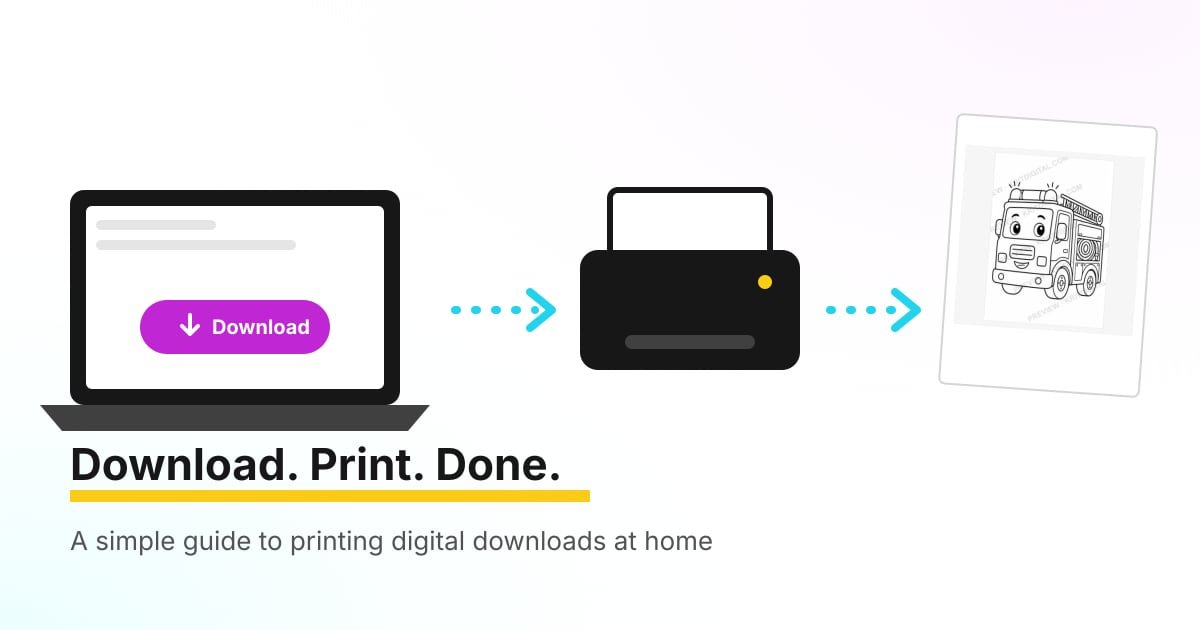
You found the perfect printable, you paid, and now you have a file instead of a package. If that feels a little confusing the first time, you’re not alone. This guide walks you through how to print digital downloads at home, from finding your files to choosing the right paper, so your printables come out crisp and correctly sized on the first try.
What is a digital download?
A digital download is a product delivered as a file. Nothing is shipped. Printables are the most common kind: coloring pages, planners, worksheets, wall art and party decorations that you print yourself.
Most printables come as one of these file types:
- PDF. The most common format. It opens in any web browser or a free reader like Adobe Acrobat Reader, and it keeps the layout and page size exactly as designed.
- JPG or PNG. Image files, often used for wall art. They print well but give you less control over page size.
- ZIP. A compressed folder holding several files. You’ll need to unzip it before you can open what’s inside.
The big advantages are speed and flexibility. You can start using a printable minutes after buying it, and you can usually print it again whenever you need a fresh copy.
How to download your files from Etsy
If you bought from an Etsy shop, including ours, your files live in your Etsy account. These steps follow Etsy’s own help article on downloading digital items.
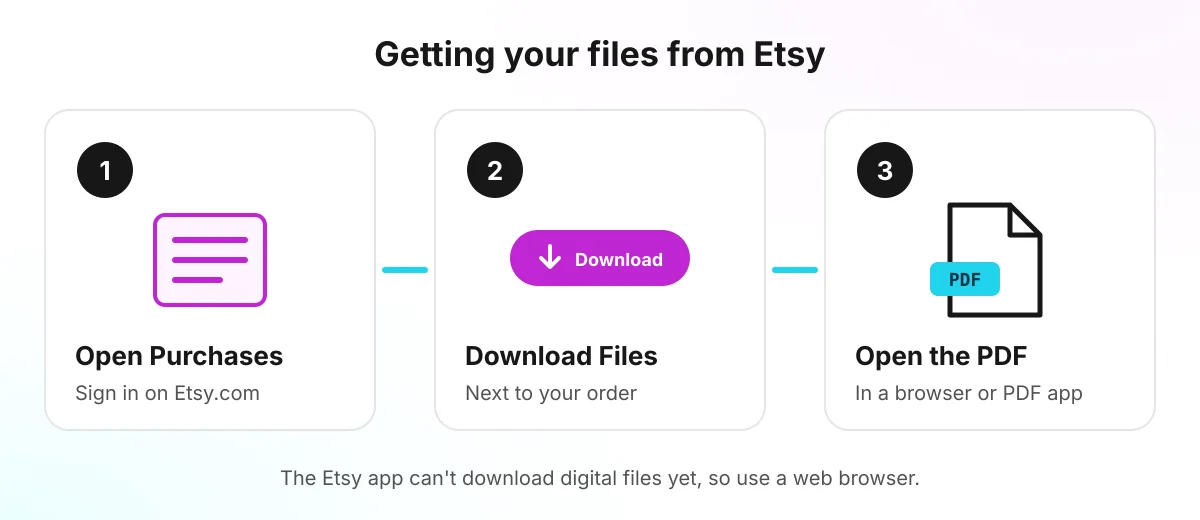
- Sign in to Etsy.com in a web browser on your computer, phone or tablet.
- Open your account and go to Purchases.
- Select Download Files next to your order. This opens a page listing every file in the order.
- Save the file somewhere easy to find, such as your Downloads or Documents folder.
A few things worth knowing:
- The Etsy app can’t download digital files right now, according to Etsy. Use a browser instead, even on your phone.
- Checked out as a guest? Your receipt email contains the download link.
- The button is gray? Etsy is still processing your payment. Give it a few minutes.
- Nothing happens when you click? An ad blocker or browser add-on may be interfering. Turn it off for Etsy and try again.
Your files stay in Purchases, so you can download them again later if you lose them.
How to open the file
Double-click a PDF to open it. If your computer asks which program to use, your web browser works perfectly well. On a phone, tap the file in your Files (iPhone) or Downloads (Android) app.
If you received a ZIP file, unzip it first. On Windows, right-click it and choose Extract All. On a Mac, double-click it. On a phone, a file manager app can usually extract it for you.
Pick the right paper size: US Letter vs. A4
This is where most printing problems start. Printables are usually designed for one of two paper sizes:
- US Letter: 8.5 × 11 inches. Standard in the United States and Canada.
- A4: 8.27 × 11.69 inches (210 × 297 mm). Standard in Europe and most of the world.
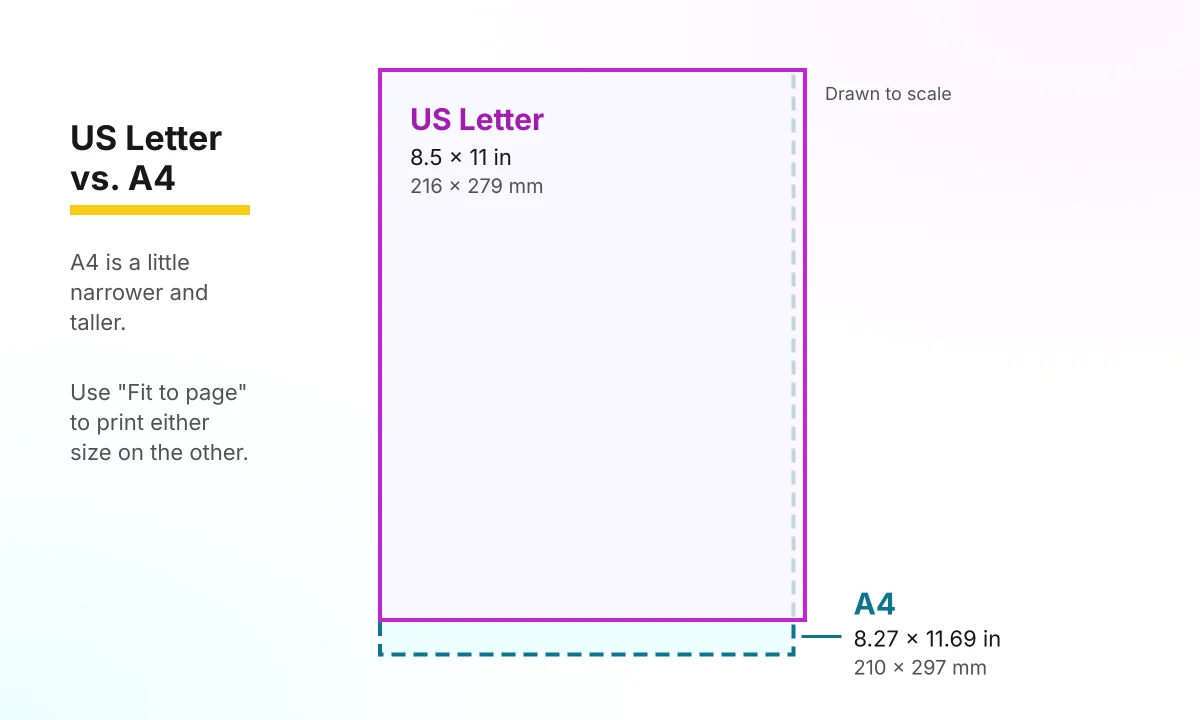
The two sizes are close but not identical. A4 is a little narrower and taller. Every product page should tell you which size the file uses. Ours do, in the specs and in the “What’s included” list.
You don’t need to buy different paper. You just need the right print setting.
The one print setting that matters: Fit to page
When you print, look for the scaling option in the print window. Depending on your computer and printer it may be labeled Fit to page, Fit, Scale to fit or Shrink oversized pages. On some printers it hides under More settings, Details or Properties.
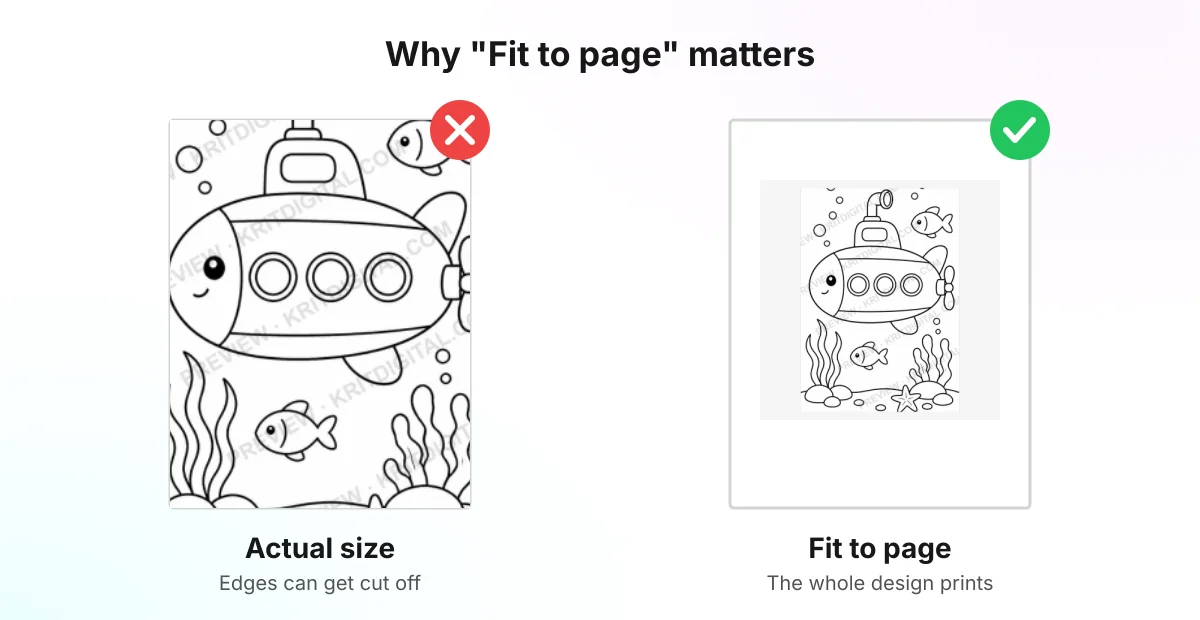
- Fit to page shrinks the design slightly so it fits inside your printer’s margins. Use it when the file size and your paper size differ, or whenever you’re not sure.
- Actual size (100%) prints the design exactly as made. Use it only when the file matches your paper and you need exact measurements, like planner inserts that must fit a binder.
Printing an A4 file on US Letter with Fit to page leaves a little extra white space on the left and right. Printing a US Letter file on A4 leaves extra space at the top and bottom. The design itself stays complete.
Always check the print preview before you hit Print. It takes two seconds and saves a lot of paper.
Choose paper that suits the project
You don’t need special paper for most printables, but the right weight makes a difference:
| Paper | Good for |
|---|---|
| 20 lb copy paper | Coloring pages with crayons or pencils, worksheets, checklists |
| 24 to 32 lb paper | Coloring with markers, planners you write on every day |
| 65 lb cardstock | Cards, gift tags, bookmarks, party signs |
| 80 to 110 lb cardstock | Sturdy pieces like place cards or wall art (check your printer can feed it) |
Heavier paper stops markers from bleeding through and makes pages feel more finished. Before you load cardstock, check your printer’s manual for the heaviest paper it accepts.
Tips for better results at home
- Print one test page before printing a whole stack.
- Use the printer’s “Best” or “High quality” mode for art and anything with fine lines. “Draft” mode is fine for quick practice sheets.
- Print only the pages you need. In the print window, enter a page range like
3-5instead of printing the whole file. - Keep the original file. Print from the PDF each time so every copy is as sharp as the first.
- No printer? Copy the file to a USB drive or email it to a local print shop, office store or library.
Check the license before you share
Buying a printable usually gives you a personal-use license. That means you can print it as many times as you like for your own home, but you can’t resell it or share the file with friends. If you’re a teacher or run a group and want copies for a class, ask the shop first. Many sellers, including us, offer a simple solution. You can always contact us with licensing questions.
Ready to try it?
The easiest way to practice is with something kids love. Our 20 Printable Coloring Pages for Kids bundle is an A4 PDF that prints on US Letter with Fit to page, so you can test every tip above in a few minutes. If you’re wondering why coloring is worth it, read our guide to the benefits of coloring for kids.
Still stuck on a file you bought from us? Check the FAQ or email support@kritdigital.com and a real person will help you get it printed.
Frequently asked questions
What is a digital download?
A digital download is a product you receive as a file instead of a package in the mail. Printables are digital downloads you print yourself, usually as PDF or JPG files. You pay once, download the file and print it as often as the license allows.
Can I download my Etsy files in the Etsy app?
Not at the moment. Etsy's help center says digital purchases can't be downloaded through the Etsy app, so open Etsy in a web browser on your phone or computer, go to Purchases and select Download Files.
How do I print an A4 printable on US Letter paper?
Open the PDF, go to Print and choose Fit to page (it may be called Fit, Scale to fit or Shrink oversized pages). The page shrinks slightly so nothing is cut off, and you get a little extra white space on the sides.
Why is my printable cut off at the edges?
Most home printers can't print all the way to the edge, and a file printed at actual size on a different paper size can lose its margins. Switch the scaling to Fit to page and check the print preview before you print.
What paper is best for printables?
Regular 20 lb copy paper is fine for most worksheets and coloring pages. Heavier 24 to 32 lb paper holds up better to markers, and 65 lb cardstock suits cards, tags and anything you want to last. Check your printer's manual for the heaviest paper it accepts.